
Download Simple Bill Tracker APK – bill tracker, monthly bills, payment reminder, finance app, free finance tool, budgeting app
Overview
Simple Bill Tracker is a free Android application developed by BobbertTech, designed to help users manage their monthly financial obligations with ease. The app addresses a common financial challenge: the difficulty of tracking multiple recurring bills and avoiding late payments. Many individuals experience stress at month’s end when they realize they’ve overspent or failed to allocate funds for upcoming payments, leading to potential overdrafts or late fees.
This app aims to prevent such situations by providing a straightforward way to monitor due dates, amounts owed, and payment history. It is particularly useful for individuals seeking a lightweight solution to stay organized without the complexity of full-featured budgeting tools. Target users include budget-conscious consumers, young adults managing their first independent finances, and anyone looking to reduce financial anxiety.
The app supports real-world scenarios such as tracking rent, utilities, subscriptions, and insurance payments. By offering a simple interface and automated reminders, it enables users to maintain better control over their cash flow. The developer did not provide additional details about the company’s background or broader product offerings.
The app is available exclusively on the Google Play Store, ensuring a secure distribution channel.
Key Features & Capabilities
- Monthly Bill Tracking – Users can input recurring bills, including due dates and amounts, to maintain a clear overview of upcoming payments.
- Payment Reminders – The app sends notifications before a bill is due, helping users avoid missed payments and associated penalties.
- Simple Data Entry – A streamlined interface allows quick addition and editing of bills, minimizing time spent on administrative tasks.
- Visual Overview of Due Dates – A calendar or list view displays upcoming bills, enabling users to plan their spending accordingly.
- Free to Use – The application is available at no cost, with no in-app purchases or subscription fees disclosed.
These features support practical financial habits such as proactive payment planning and early budgeting. For example, a user can set up a reminder for a monthly internet bill two days before the due date, ensuring timely payment. The app also helps users identify spending patterns over time, especially when tracking multiple subscriptions.
By centralizing all financial obligations in one place, it reduces the risk of double payments or forgotten dues. The simplicity of the interface ensures that users with minimal technical experience can operate it effectively. The developer did not specify whether data synchronization or cloud backup is available, nor whether offline functionality is supported.
User Interface, Workflow & Performance
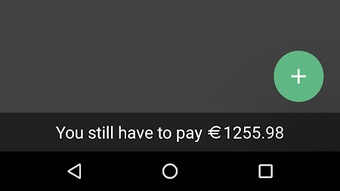
Simple Bill Tracker features a clean, minimalistic user interface optimized for mobile use. Navigation is structured around core functions: adding a new bill, viewing upcoming payments, and managing existing entries. The layout prioritizes readability, with clear labels and intuitive icons.
Users can access their bill list from the home screen, and each entry typically includes the bill name, amount, due date, and status (e.g., paid or pending). The workflow is linear and efficient, requiring minimal taps to complete common tasks. For instance, creating a new bill involves selecting a category, entering the amount, and choosing a due date—steps completed in under 30 seconds.
The developer did not specify resource usage details, so performance behavior under different conditions remains unknown. General software behavior patterns suggest stable operation on modern Android devices, but exact CPU or RAM consumption was not disclosed. Stability during background operation and notification delivery is not confirmed.
No information was provided about crash frequency, update intervals, or battery impact. Users should expect consistent performance based on typical app behavior, though real-world results may vary depending on device configuration.
Compatibility & System Requirements
Simple Bill Tracker is designed for Android devices and is compatible with the latest versions of the operating system. The app requires a minimum Android version, though the specific version was not listed by the developer. Installation size is 12.5 MB, indicating a lightweight footprint that should not significantly impact device storage.
The developer did not specify hardware requirements such as RAM, processor speed, or screen resolution. Compatibility information was partially provided, leaving room for uncertainty on older or low-end devices. Users are advised to check the Google Play Store listing for updated compatibility details.
No mention was made of support for tablets or other Android-based platforms. The app does not require root access or special permissions beyond standard storage and notification access. Exact performance details were not specified, and no claims about offline functionality or cloud sync were included.
Pros and Cons
Pros
- Free to download and use with no hidden costs
- Simple, intuitive interface suitable for beginners
- Automated reminders help prevent late payments
- Lightweight installation at only 12.5 MB
- Designed specifically for tracking recurring monthly bills
Cons
- Exact system requirements were not listed
- No information on cloud backup or data synchronization
- Developer did not provide details about update frequency or support
- Offline functionality status is unclear
- Limited to Android platform, with no version for iOS or desktop
FAQ Section
Is Simple Bill Tracker available for iOS?
Currently, the app is only available for Android devices. There is no official iOS version mentioned by the developer.
Can I use Simple Bill Tracker offline?
The app’s ability to function offline was not specified. While basic bill tracking may work without internet access, reminder delivery may require an active connection.
Is the app safe to download?
Simple Bill Tracker is available on the Google Play Store, which provides security checks for apps. Users are advised to download only from official sources to minimize risks.
Does the app offer automatic updates?
Update frequency and delivery method were not disclosed. Users should check the Google Play Store for new versions.
What kind of license does the app have?
The app is free to use and does not require a license key. No specific licensing terms were provided by the developer.
Final Thoughts
Simple Bill Tracker offers a focused, no-frills solution for managing monthly financial obligations on Android. Its strength lies in simplicity—users can quickly set up bills and rely on timely reminders to stay on top of payments. The absence of ads or in-app purchases enhances its appeal as a trustworthy tool for personal finance management.
While it lacks advanced features like budget forecasting, multi-device sync, or detailed reporting, it fulfills its core purpose effectively. It is ideal for users who need a basic, reliable way to track recurring bills without complexity. The free pricing model and small file size make it accessible to a wide audience.
For those seeking a straightforward finance app with minimal overhead, this tool delivers on its promise. Download Simple Bill Tracker now.







